IT’S FREE ! ! !
This tool is free ! ! !
If You find this tool useful or just like it, please donate for further maintenance and development.
PRACTICAL FEATURES
Tool is quite practical, with several cool features that helps you keep track on current and folowing meetings.
WINDOWS 10
It’s created and tested for Windows 10, but feel free to try it on other Windows versions.
Please donate for  or
or  to support further maintenance and development

Features
These are some of the most inportant application features for You to enjoy while I’m working on expanding them to provide more…
DESIGN…
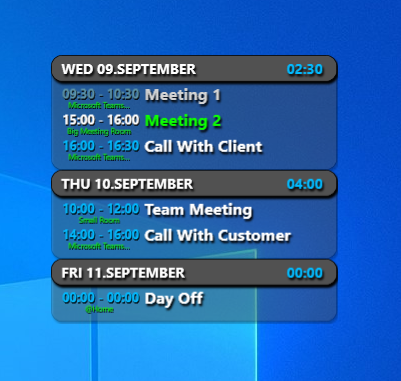
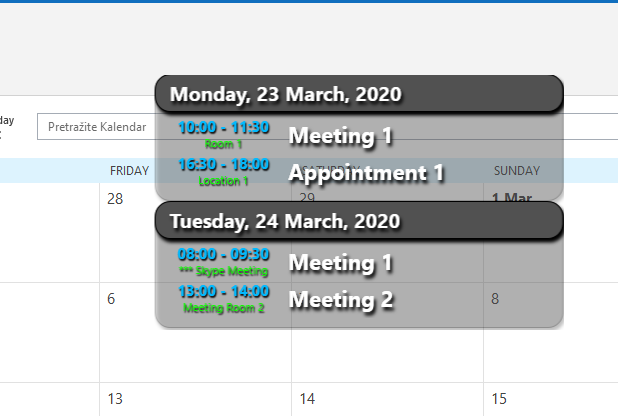
Transparent and slick design!
Always On Top…
Place this App on top of other Applications so that You won’t miss anything important!
Run When Windows Starts…
Run App with Windows, so that You can always keep track on Your meetings, even when Outlook is not running.
Number of Days to Load…
You can chose how long in advance do You want to see Your Appointments.
Chose the Right Size…
You can icrease or decrease size of the App window to fit Your needs perfectly!
Open Meeting Directly from App…
Double click on the Meeting in App wil automatically open it in the Outlook.
Time Sum…
You can quickly see how much time You have “wasted” on meetings…
OUTLOOK…
Application require Outlook to be installed in order to read appointment data. It uses default Outlook profile.
Tested on Office 365 Outlook.
Categories Colors
Meetings are now displaying colors of the categories that are assigned to them. Current limitation is 2 categories…
Start Online meeting…
Now You can start online meeting directly from the app! Teams, Zoom and WebEx are supported!
Job for Future Me
These are some of the features that I plan to develop soon…
MORE CALENDARS…
We want to support adding of more Calendars to the Application (Google Calendar, Any.Do, etc.).
NOTIFICATIONS…
Plan is to create notifications to warn You about start of the meeting.
THEMES…
Idea is to bring more Color to Your life, so support for some predefined or custom color themes is on our mind.
MORE CUSTOMIZATIONS…
In order to bring full pleasure for all App users, there is plan to support more and more of App customizations.
Get it now!
Download the installer and run it.
Requirements:
.Net 4.5.2
Windows 10
Outlook 365 / Outlook 2016
Latest version: 0.9.11.0
#INFO: Some antiviruses might flag this as generic threat since App it’s not made by some known/registered company. Those are false-positive results, and can be ignored…
Application is safe!
Application is submitted to Symantec for “false positive result” an they have updated it’s database not to flag it as suspicious anymore.
If You have issues with Your antivirus, feel free to write me with details to try to work it out with Your antivirus company…
Download Installation !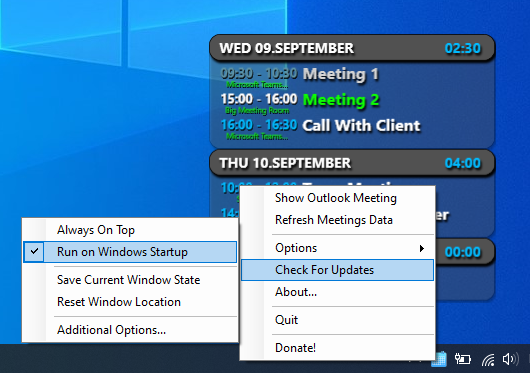

The Latest Fixes and Updates!
Here is what the latest versions have brought to you:
0.9.11.0
– Meeting Calls from the app improved
– Fixed bugs for all-day meetings
0.9.10.0
– Start Meeting Calls from the app!
Teams, Zoom and WebEx
– Stability of the app is improved by a lot!
– Some bug fixes
– Introduced signed executable!
Our Team
So far it’s one man army

Nemanja Popović
Creator / Developer
From Idea to Execution